One platform.Your shisha service.
A digital menu guests can explore. Shisha orders your team can manage. A clear view for you — all alongside your existing POS.
No app for guests. Menu, Shisha, or both.
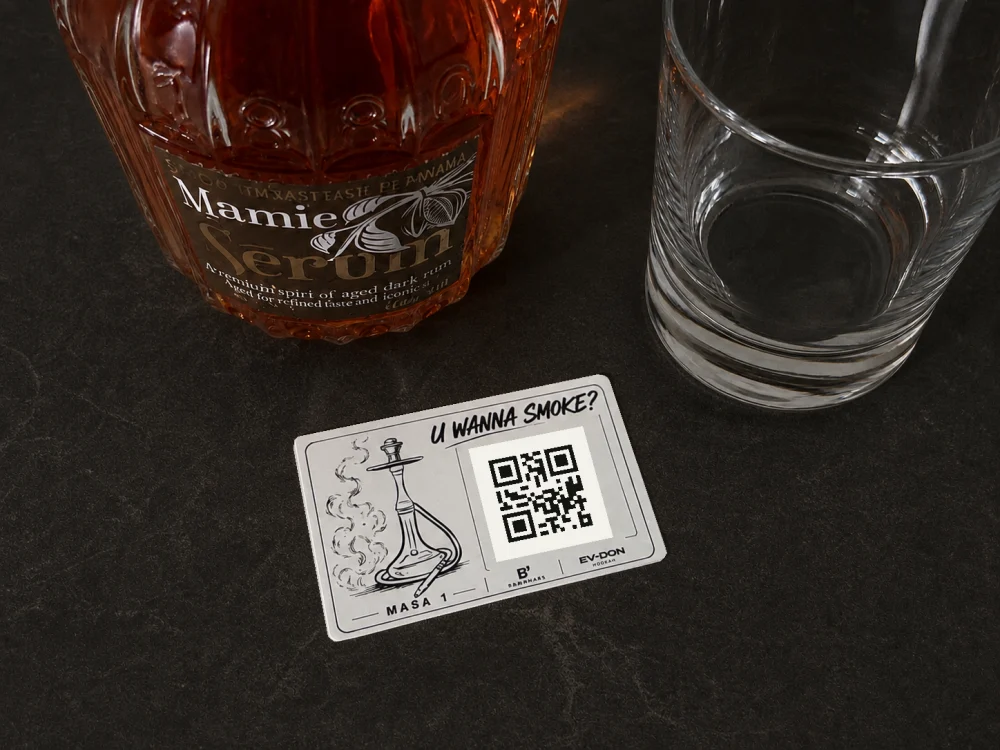
THE EXPERIENCE STARTS AT THE TABLE Scan. Explore. Enjoy.
Real B³ setup. QR shown is a non-functional demonstration.
Built for independent venues.
QR access Multilingual menus Staff workspace Owner oversight
TWO MODULES. YOUR CHOICE.
Start with what From a neighbourhood restaurant to a busy shisha lounge. Use one module on its own, or bring both into the same guest experience.
01 / MENU For every table
B³ Menu Make your menu worth exploring.
Let guests browse food and drinks on their own phone, with your photographs, descriptions and prices.
Multilingual food and drink menus Product photos, categories and descriptions Your venue’s own prices and availability QR access and a mobile-first presentation See a real restaurant menu ↗ A digital browsing menu. Food ordering and payments are not included.
02 / SHISHA For the whole service
B³ Shisha Keep the order and the team connected.
Guests choose their shisha. Staff handle orders and requests in a shared workspace. You keep an overview of operations.
Guest QR orders with 1–3 tobacco flavours and Extras Staff workspace and service requests Tobacco stock handling Owner reporting and activity overview Explore the shisha workflow ↗ Works alongside your POS. No direct POS synchronisation or payment processing.
+ Better together, if you need both. One venue, a digital menu and dedicated shisha operations.
TRY THE PRODUCT
Take a look. Explore the interactive B³ demo in your browser. Choose English using the demo’s language switch.
Open interactive demo ↗ A demonstration environment with sample content.
01 Explore the menu Browse categories, photographs, languages and different menu styles.
02 Follow a shisha order Try flavour selection and see how the order moves through the staff workflow.
03 See the operational picture Follow the demo through completion and its recorded stock impact.
IN USE AT A REAL RESTAURANT
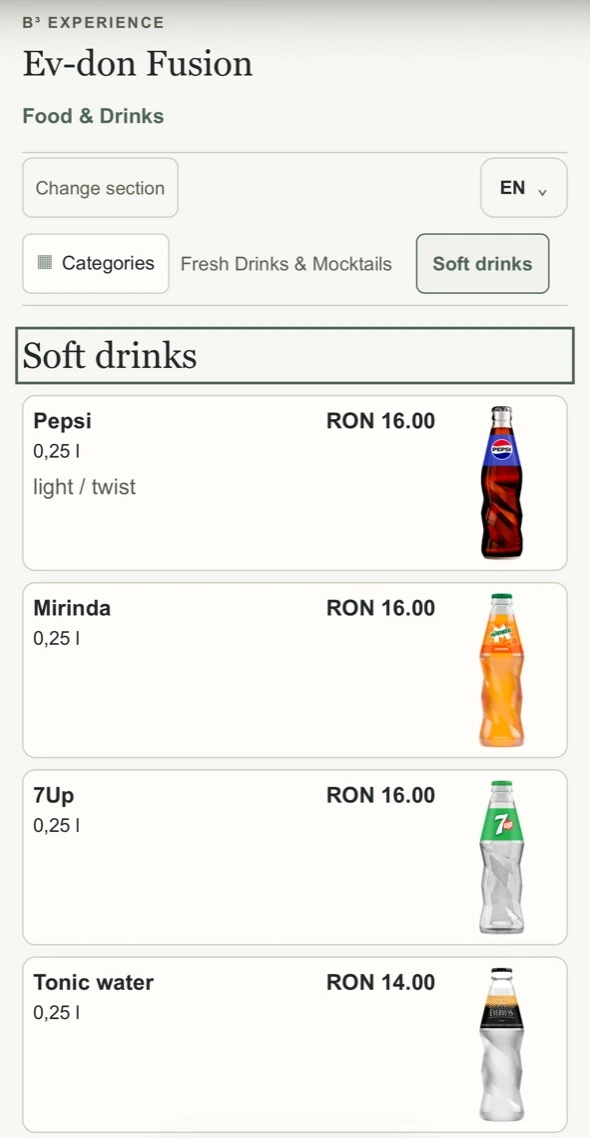
Meet Evdon. Evdon uses B³ Menu to present its food and drinks. Explore the actual public menu, with branded drink photographs and restaurant-specific prices.
This is a live restaurant implementation in Romania, separate from our interactive product demo.
Explore a real digital menu ↗ Opens Evdon’s drinks category in English. Romanian is also available.
Real public menu · English mobile view. Owner’s iPhone capture; menu content may change. BUILT AROUND THE WAY YOU WORK
More clarity. FOR YOUR GUESTS A menu they can see. Photographs and descriptions help guests explore what you serve. Language choices make the menu accessible to more visitors.
FOR YOUR TEAM A shared place to work. Shisha orders and service requests stay in the staff workspace, with the details your team needs to act on them.
FOR YOU Oversight without guesswork. Review shisha activity, completed orders and tobacco stock records. Keep using your existing POS for its usual role.
FROM FIRST CONVERSATION TO FIRST SCAN
We help you get started. No technical project to manage on your own. We work through the setup with you and your team.
01 Contact us Tell us about your venue and what you need.
02 A short demo See the modules that fit your service.
03 Your configuration Prepare the menu or shisha service details.
04 QR setup Set up the guest access points for your venue.
05 Team onboarding Walk your staff through their workspace.
06 Your pilot Try B³ in your venue for 30 days.
START WITH YOUR VENUE
30 days to see A supported pilot, with initial setup help and a clear conversation about what comes next.
Choose B³ Menu, B³ Shisha, or both. We’ll discuss the scope and a tailored quote before you start.
Request a pilot quote ↗ 30DAY PILOT
Initial setup support Configuration for your venue Staff onboarding Pricing discussed directly For independent restaurants and shisha lounges, including venues with 1–3 locations.
Does B³ replace our POS? No. B³ works alongside your existing POS. It is not a fiscal, accounting or payment system, and direct POS synchronisation is not part of the current offer.
Do guests need to install an app? No. Guests scan a QR code and open B³ in their phone’s browser.
Can we use only B³ Menu? Yes. You can use the digital restaurant menu on its own, with photographs, languages, descriptions and your prices.
Can we use only B³ Shisha? Yes. Shisha ordering and operations are available separately from the restaurant menu module.
Does B³ include payment processing? Not currently. Take payments through your existing process. Operational records in B³ are not payment transactions or fiscal receipts.
How long is the pilot? The pilot lasts 30 days. We agree the configuration, setup and pilot terms directly with you before it starts.
Can guests order food through B³ Menu? B³ Menu currently lets guests browse your food and drinks. It does not take restaurant food orders. Guest ordering is part of the B³ Shisha module.